Billing UI Redesign
Helping enterprise customers understand what they are charged and why.
Terminology
Atlas Credits
The unit of measure for Atlas usage (compute, storage, backup, etc.). Self-serve customers pay 1 credit = $1, while enterprise customers often get a discounted unit price (e.g. $0.95 / credit) in their contracts.
Monthly Commitment
A commitment deal where customers agree to a minimum monthly spend in credits. Each month, they are charged either this minimum or their actual usage, whichever is higher.
Commitment Shortfall
When a customer doesn't hit their monthly minimum, the contract may charge the difference as a top-up at month's end.
Carry-over
Carry-over allows unused credits from one month to be used in later months instead of expiring immediately.
Unit Price
The contracted price per Atlas credit, in the customer's billing currency. This can be lower than $1 for discounted deals and is what translates credits into actual invoice amounts.
Project overview
The gap between usage and charges
Atlas enterprise customers purchase usage in credits, often with discounts and monthly commitments. However, the legacy billing experience:
- •Displayed credit usage with dollar symbols.
- •Buried the actual amount due deep inside invoice details.
- •Gave almost no help explaining how monthly commitments, shortfalls, or carry-overs shape the total cost.
Two very different billing realities
Research with:
- •4 self-serve customers using pay-as-you-go pricing
- •4 large enterprise customers managing contract-based billing models
revealed a fundamental split in how customers experience billing:
- •Self-serve customers treat credits as dollars. For them, extra terminology creates friction.
- •Enterprise customers need transparency into unit prices, commitments, and carry-overs to reconcile invoices and trust the system.
Enterprise-ready billing
I led the design of a cross-page billing UI redesign that balanced simplicity and transparency through progressive disclosure:
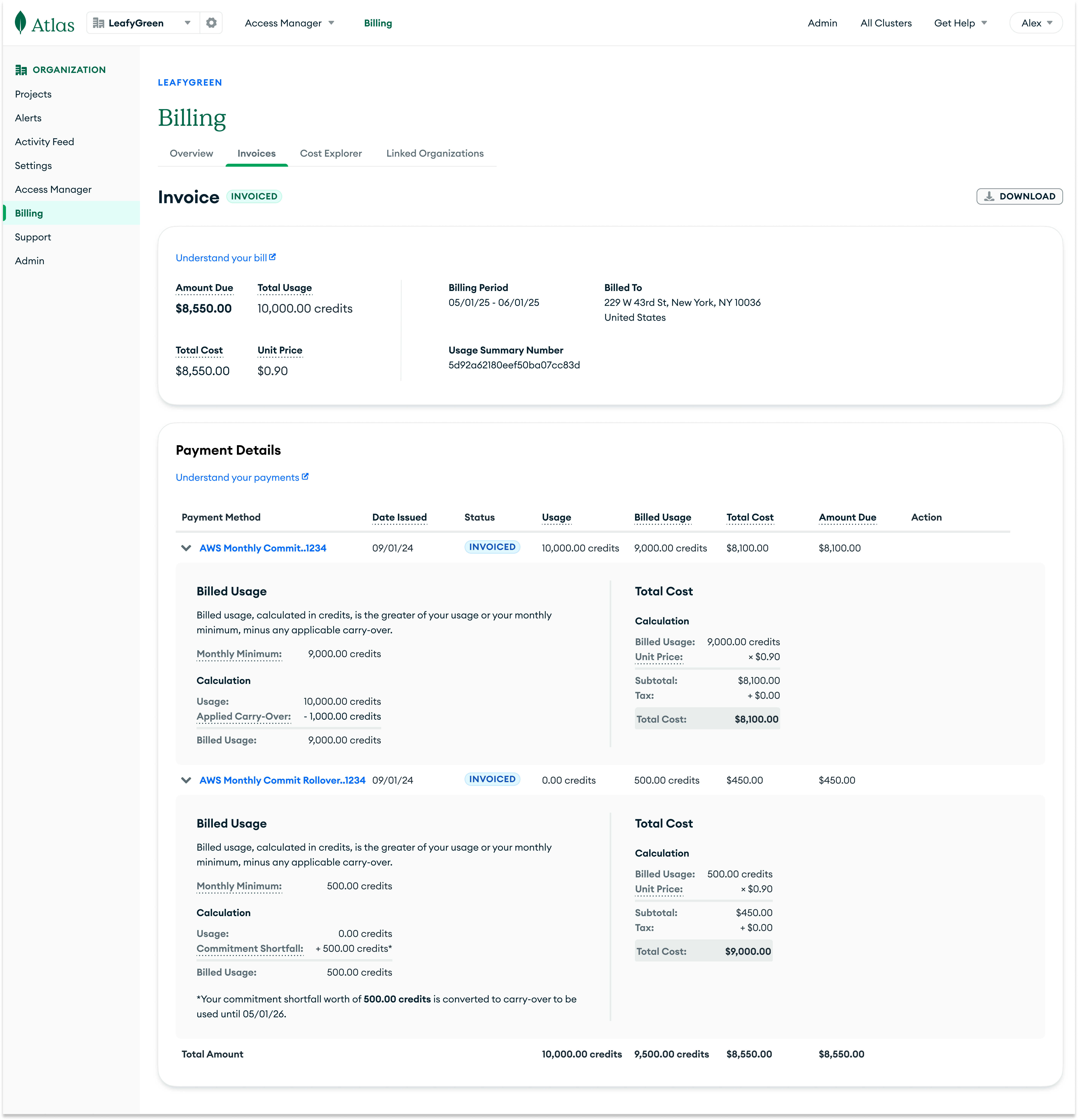
- •Cleanly separated usage in credits from cost in currency for enterprise customers.
- •Surfaced unit price, amount due, and net month-to-date cost in prominent, consistent locations.
- •Made the impact of monthly commitment and discounts visible, so customers could see when totals included minimums, shortfalls, or carry-overs.
This work spanned Billing Overview, Invoice History, Invoice Details, Cost Explorer, and key PDF experiences.
Design principles
One unit per concept
Credits as a unit for usage, currency as a unit for cost.
Put "Amount Due" where customers actually look
Bring amount due and total cost to the top of Overview and Invoice pages, instead of burying them in payment details.
Make the math reproducible
Display the unit price and calculation steps, so that customers can verify the invoice totals.
Clarify how billed usage is calculated
Commitment shortfalls and carry-overs directly affect billed usage. The UI should make that relationship explicit.
Design for clarity through progressive disclosure
Make complex terminology available only to enterprise customers, without overwhelming self-serve users with unnecessary complexity.
The redesign
The redesign impacted every surface area on the billing page, but some of the key design changes are outlined below.
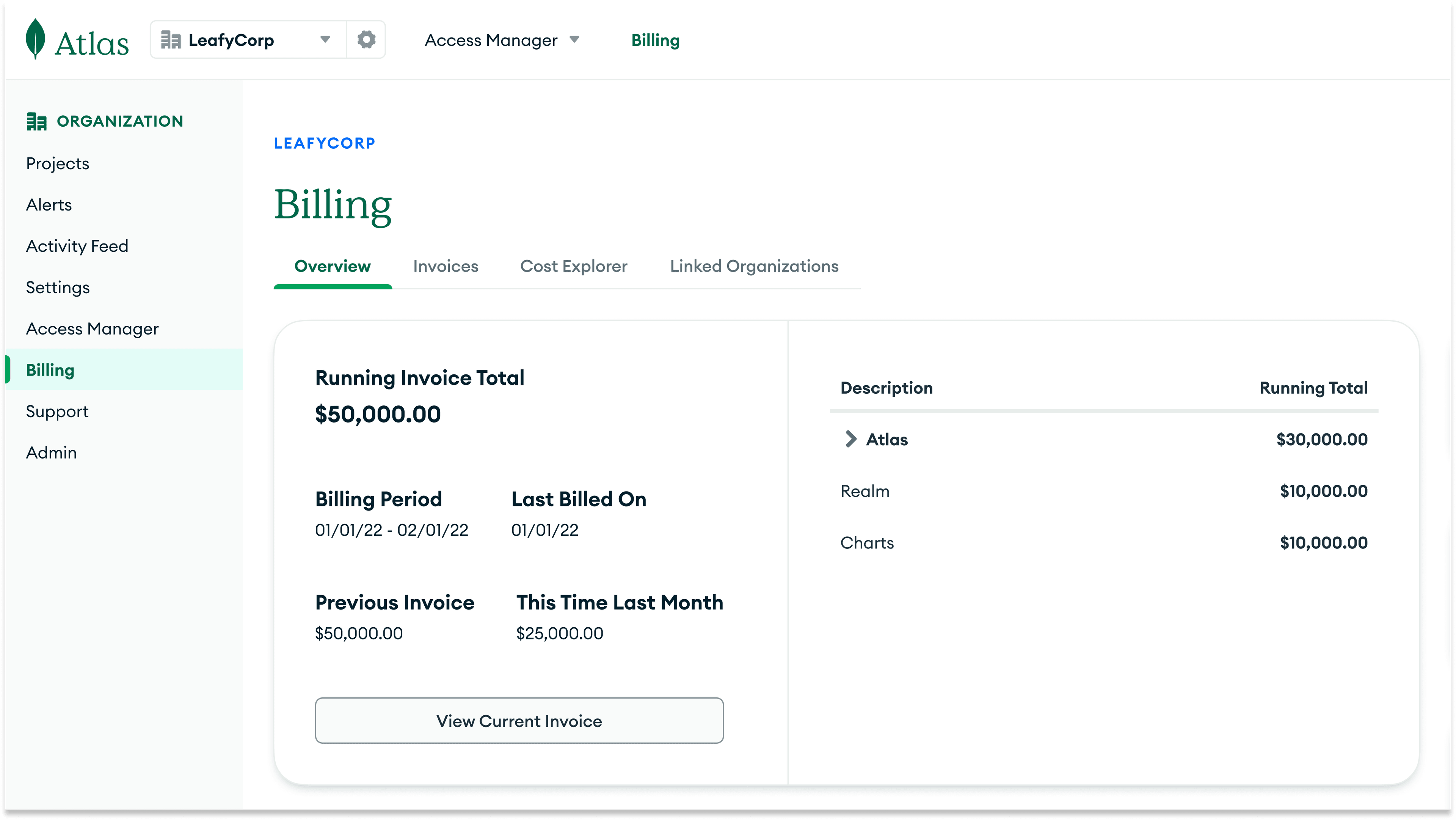
Before
Usage totals and summary tables labeled with "$", even when they were pure credit counts.
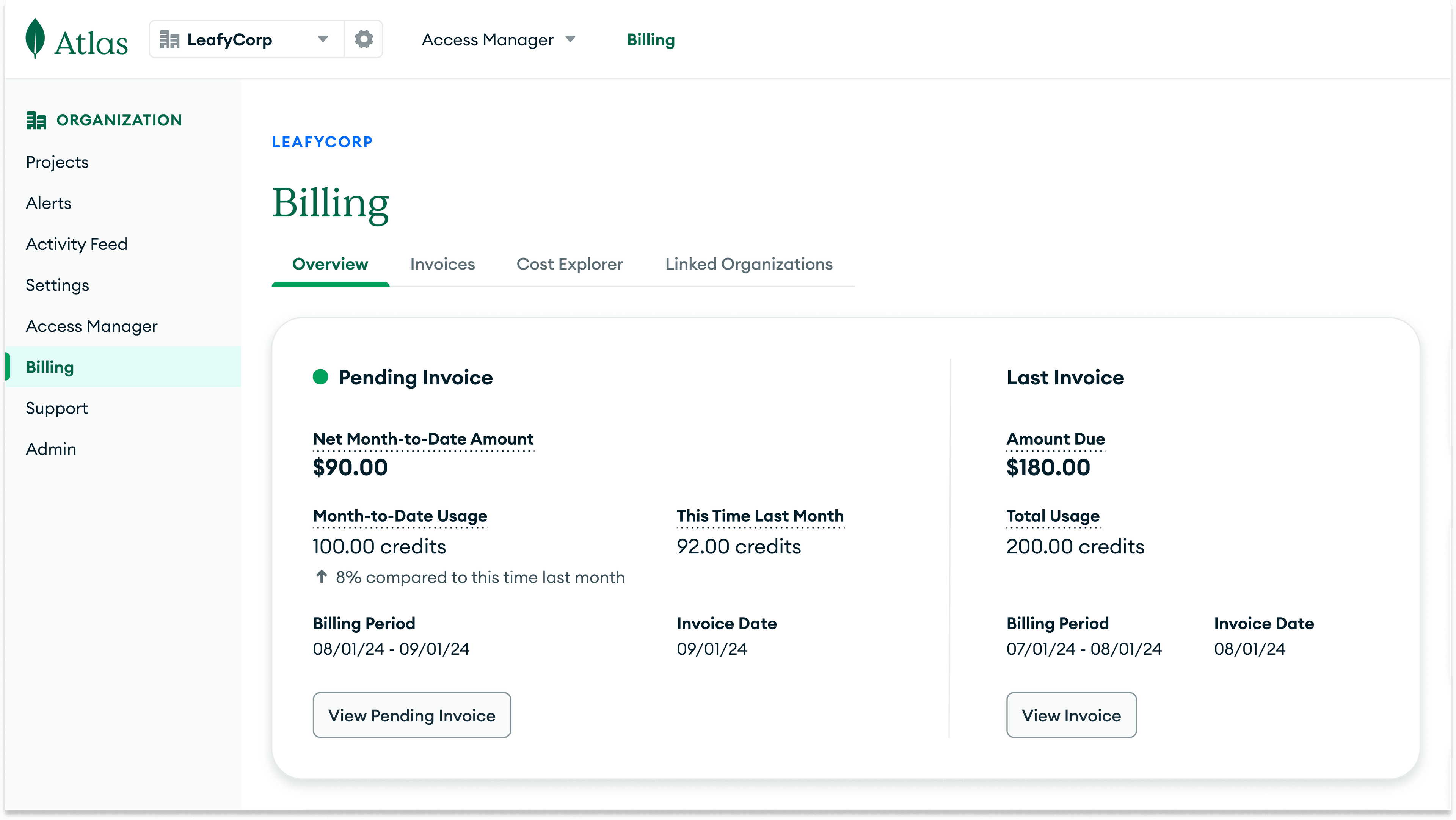
After
Usage clearly labeled as credits, with currency symbols reserved only for actual amounts customers will be charged.
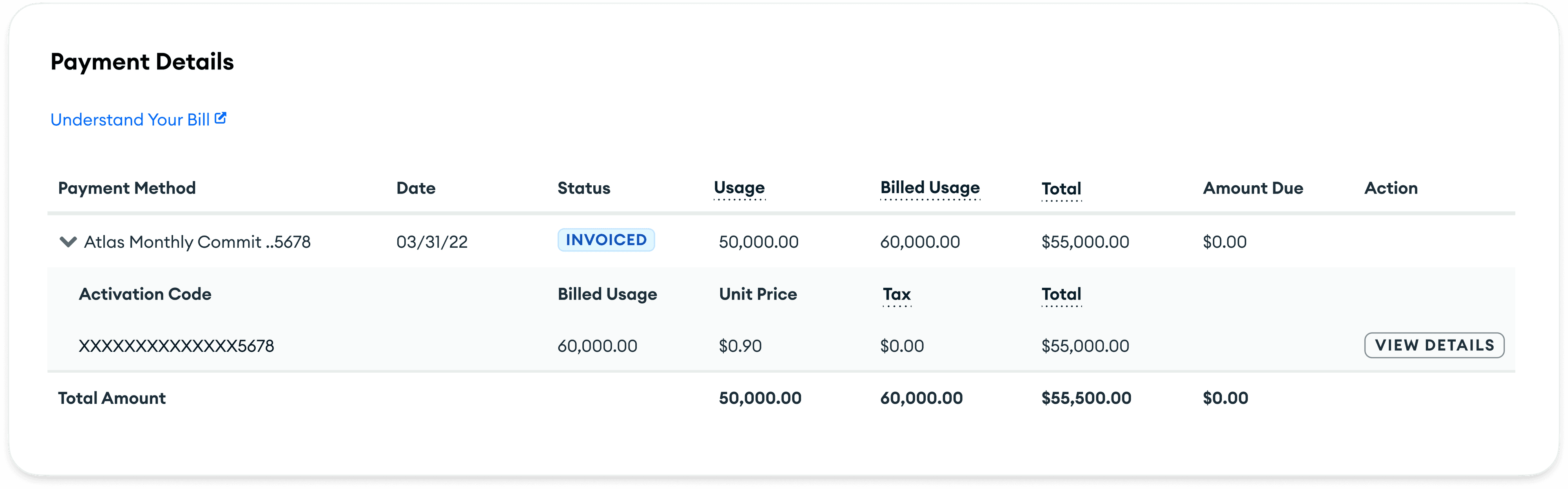
Before
Conversion of usage to billed usage and billed usage to cost wasn't clear.
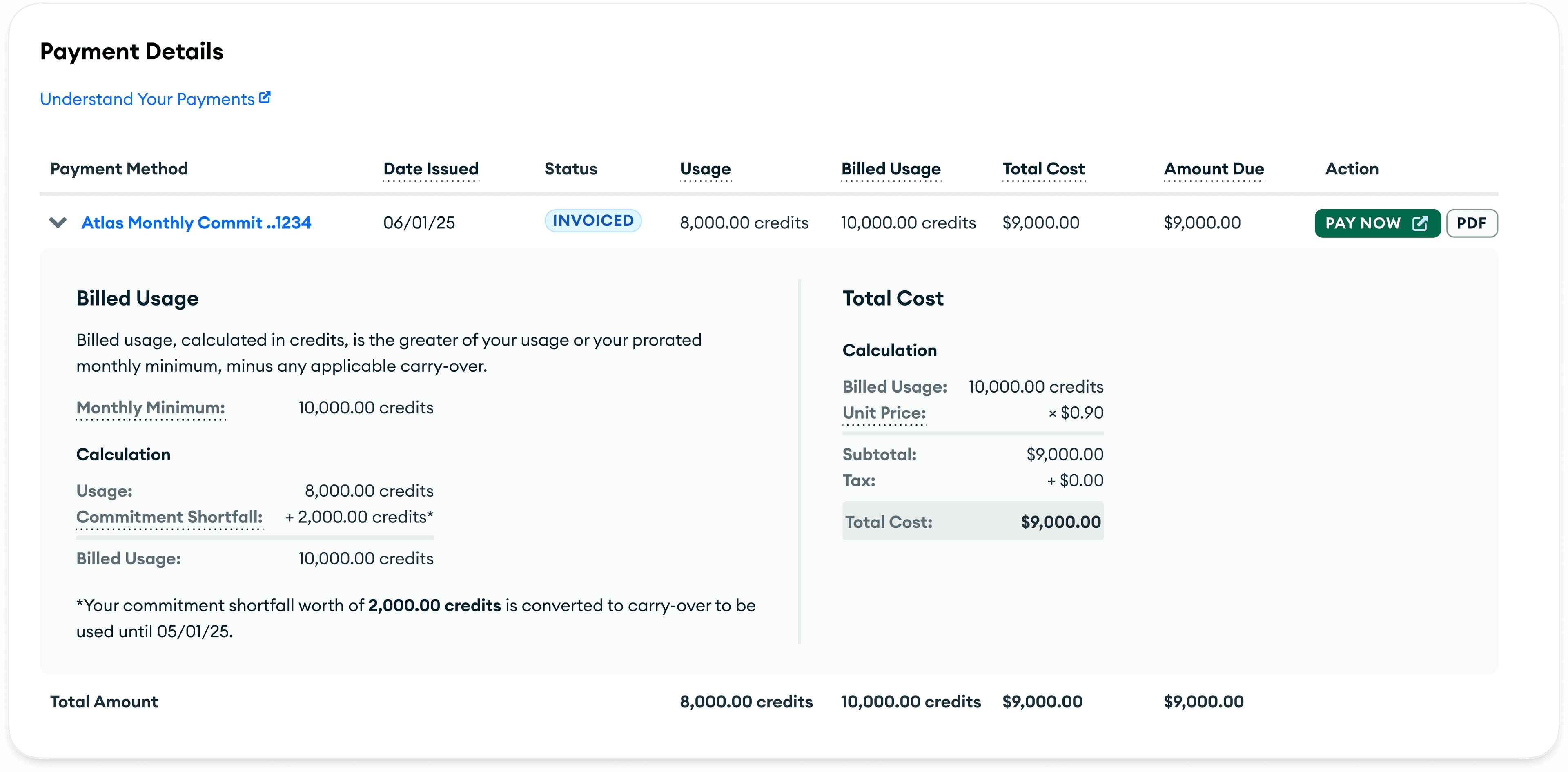
After
Customers can clearly see how total cost and billed usage is calculated, and they can match the numbers in the UI with their invoiced amount.
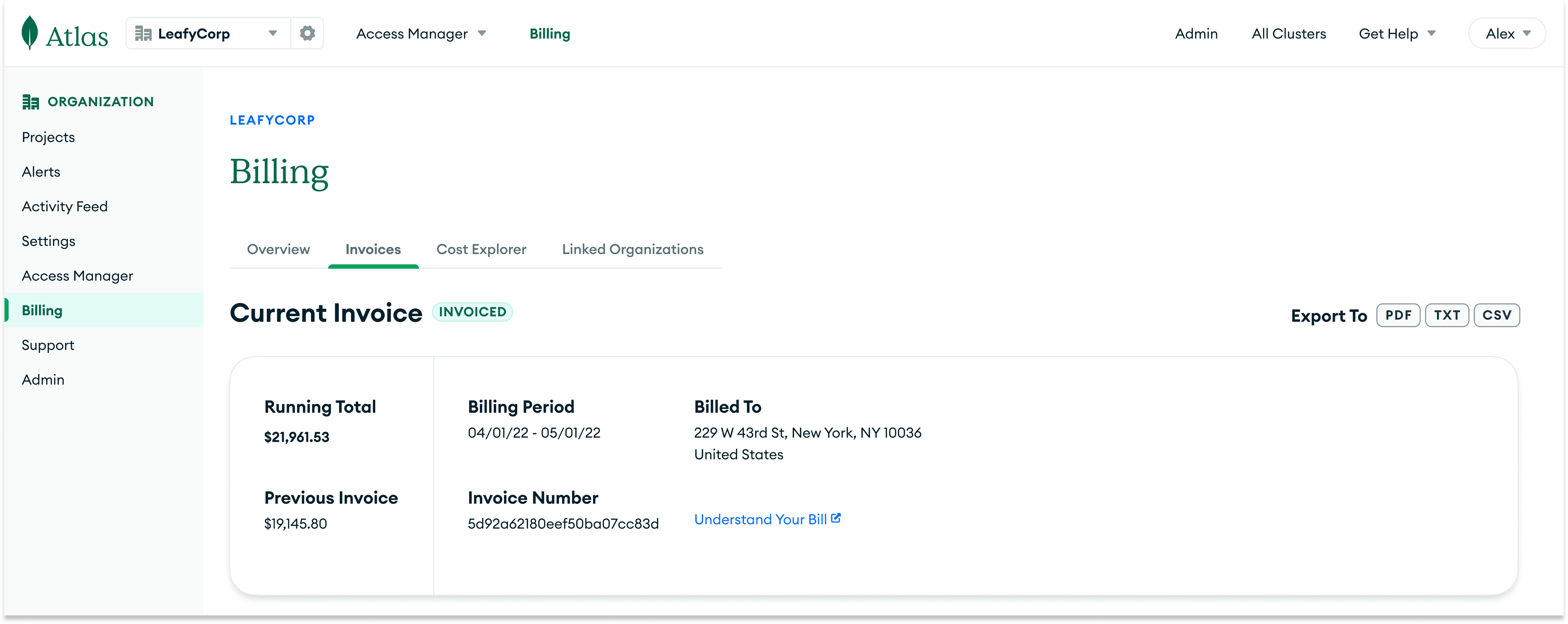
Before
Misleading running total at the top of the invoice page, which is actually usage in credits. The actual amount due buried deep in the payment details section, easy to miss unless users already knew where to look.
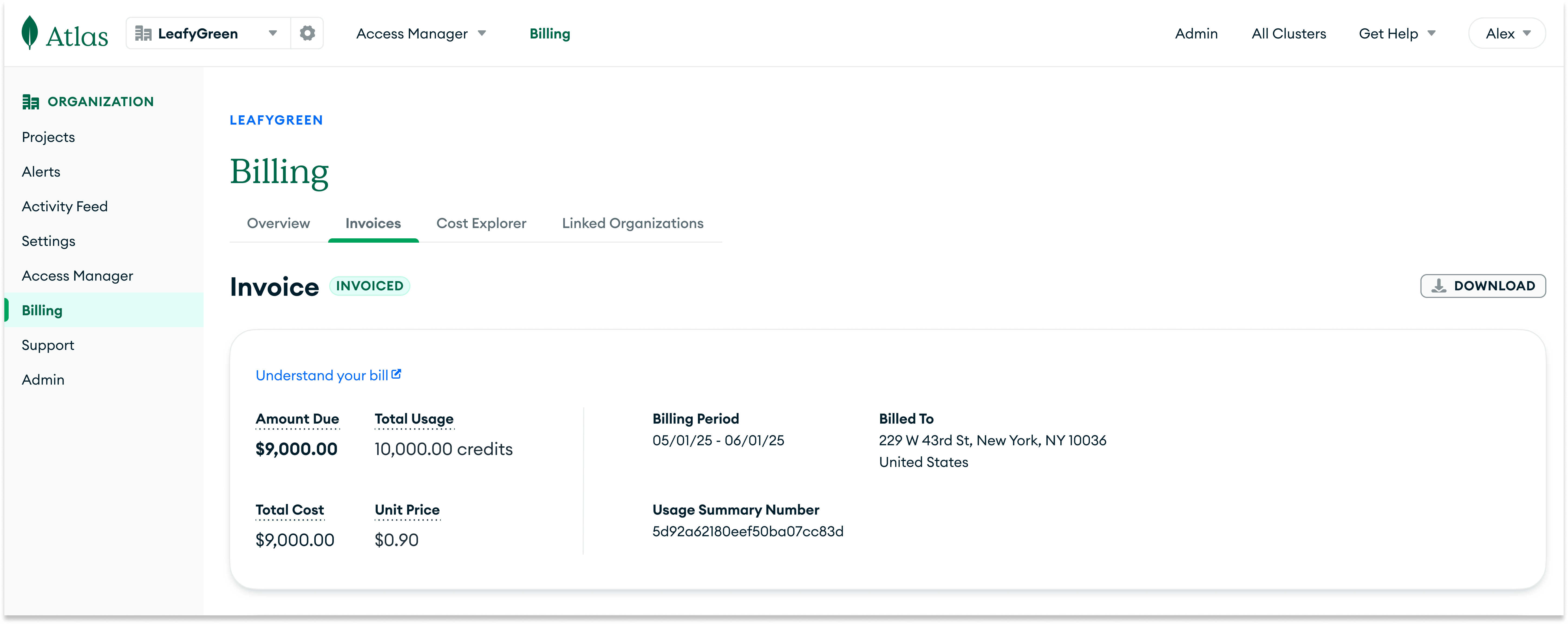
After
Amount due and total cost promoted to the top of the page, so "what do we owe?" is answered immediately.
Impact
Reduction in Customer Success Managers reporting understanding billed usage, commitments and dollars-to-credits conversion as the most common customer pain point with Atlas billing.